
An additional chart screen is available to help identify the limits experienced on the key CellMon metrics of Voltage Min/Max and Temperature Min/Max.
The session will run until manually reset.
Step 1 - Navigate to Dashboard from Home menu
Step 2 - Navigate to CellMon Session
Step 3 - Display chart

Step 4 - Press the setting icon

Step 5 - Click the reset option if required

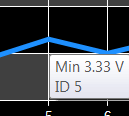
Step 6 - For more information hover over a value to see specifics
NB: The information can be seen in Telemetery > CellMon - All grid
0 Comments